Console
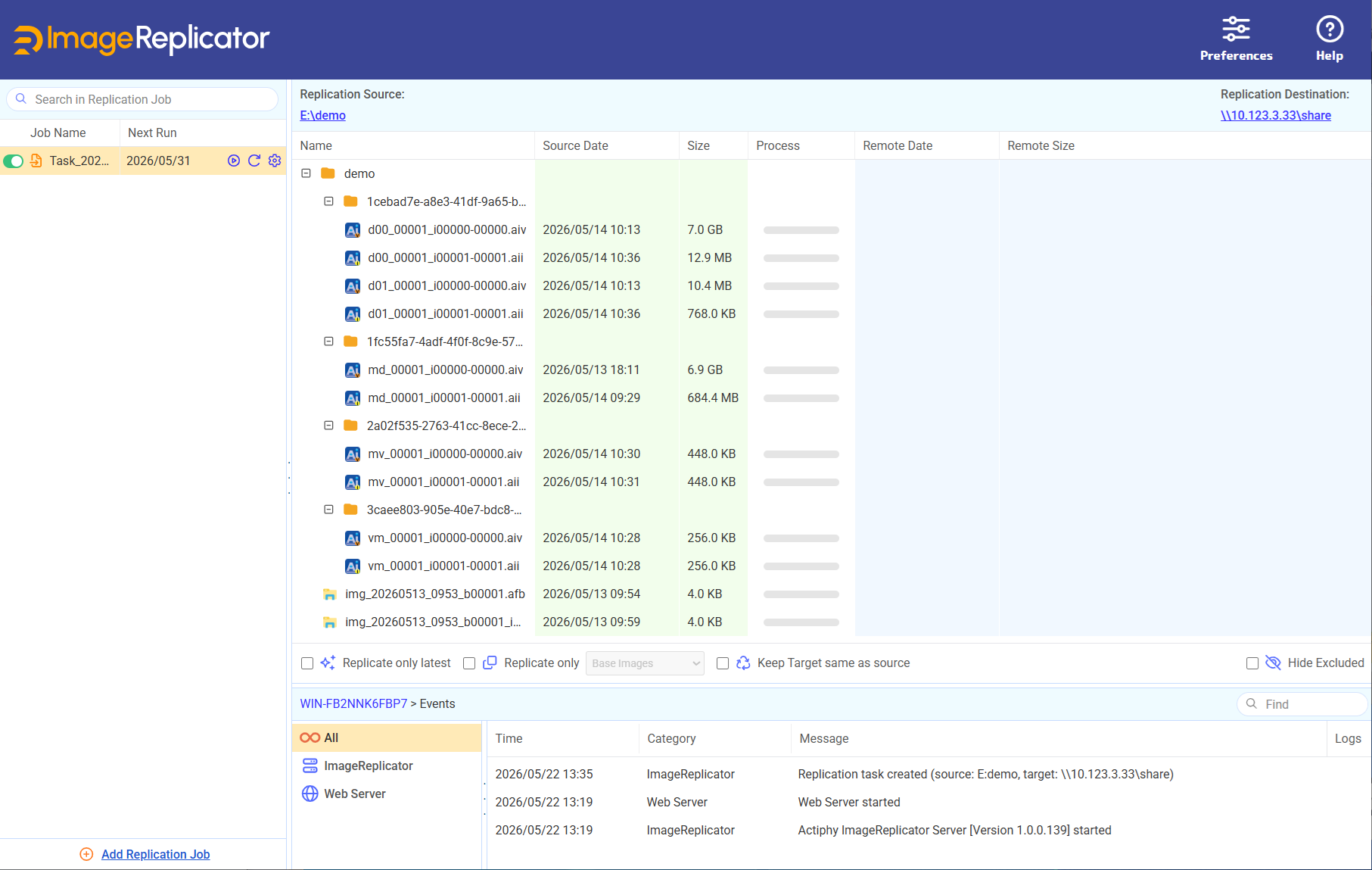
Console window is composed of the following components.
Task List
The created tasks are listed here. The information of [Job Name] and [Next Run] is displayed.
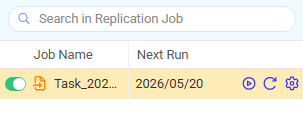
When the previous task fails, [Next Run] is shown in red.
Click on the  button to enable/disable the task schedule.
Click on the
button to enable/disable the task schedule.
Click on the  button to manually start the replication task.
Click on the  button to refresh the item list.
Click on the
button to refresh the item list.
Click on the  button to edit the task.
Right-click the task and select an operation in the following menu.
- Refresh
- Run Task Now
- Enable/Disable Schedule
- Edit Task
- Copy Task
- Delete Task
When creating a new task, click [Add Task]. For more details about the operating procedures for creating a task, please access here.
Item List
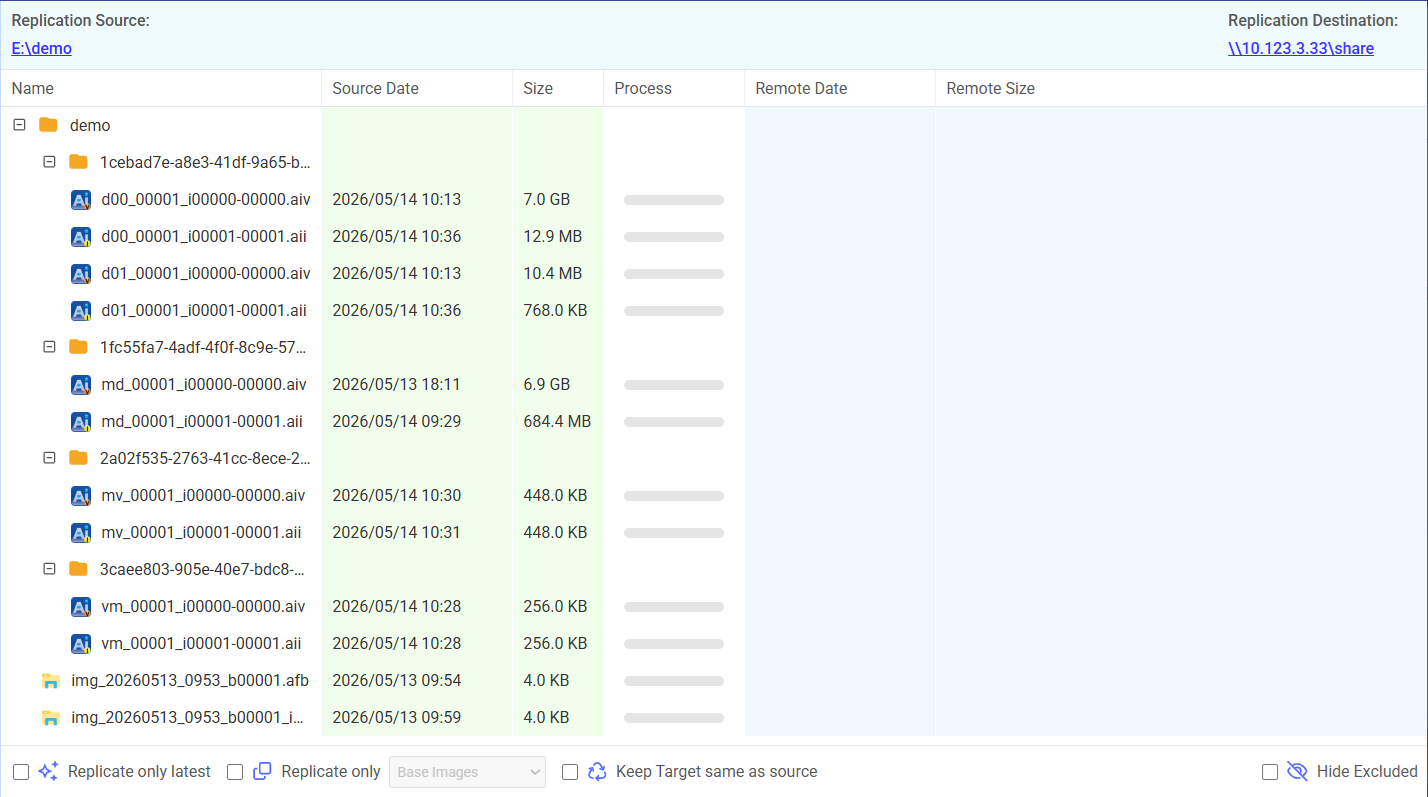
The Replication Source and Target for the task selected in Task List are indicated at the top. Items to be processed are displayed in the list.
-
Alias for the agent-based backup image.
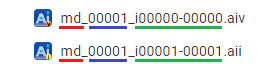
The image files created by enabling [Designate a separate image file set per disk] for a single disk or multiple disks are displayed as follows in the right-pane. The red underlined portion indicates the disk number, the blue underlined portion indicates the generation and the green underlined portion indicates the incremental range (end − start).
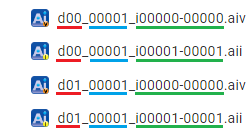
The image files created by disabling [Designate a separate image file set per disk] for multiple disks are displayed as follows in the right-pane. The red underlined portion indicates that multiple disks are included, the blue underlined portion indicates the generation and the green underlined portion indicates the incremental range (end − start).
-
Alias of HyperBack images
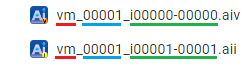
The image files are indicated as follows in the right-pane. The red underlined portion indicates a virtual machine, the blue underlined portion indicates the generation and the green underlined portion indicates the incremental range (end − start).
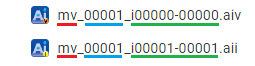
When the backup image file includes multiple virtual machines (MVM), the backup image file is displayed in the right pane as follows.
The red underlined portion indicates multiple virtual machines, the blue underlined portion indicates the generation and the green underlined portion indicates the incremental range (end − start).
-
File Backup Image
The image file is displayed in the right pane as follows.

Right-click on the source information of an image, and you can select [Copy to Target] or [Delete from Source] in the menu. Right-click on the information of the target, you can select [Copy to Source] or [Delete from target].
When [Enable Unchangeable Images] option is selected in task settings, the [Retention Status] column is displayed. The period of object lock status or the mode of the base image file (*.AIV) in the image set is displayed.
Current Replication Criteria
At the bottom of the list view, the currently configured Replication criteria are displayed. When changes are made to the configured settings, the profiles and lists are updated.
Event
Event history is displayed. The displayed information may be filtered by specifying character strings.
