Preference
General
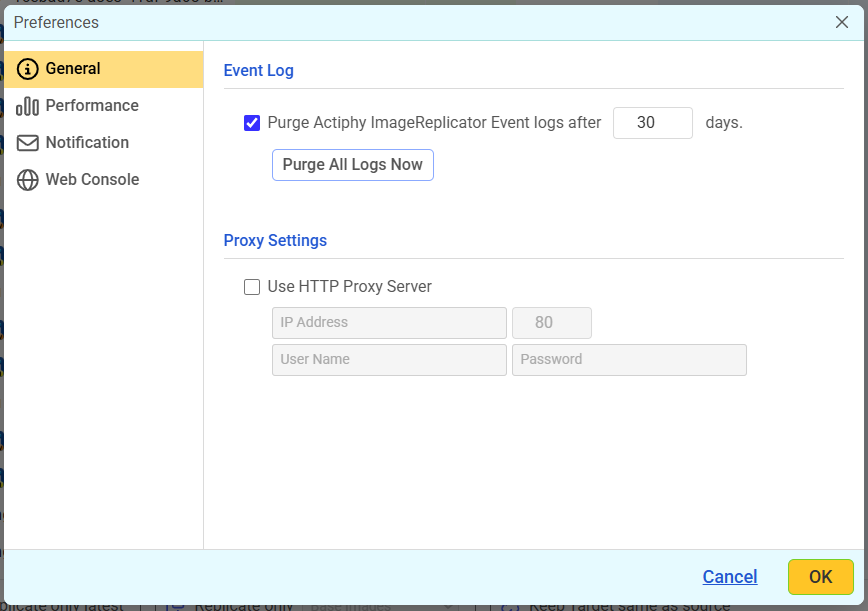
-
Event Logs
Event history and task logs for agents are retained for the number of days specified in [Purge Actiphy ImageReplicator Event Logs after xx days]. -
Proxy Setting If using a proxy server, check the box [Use Proxy Server] for checking updates and to perform replication tasks to cloud storage.
Performance
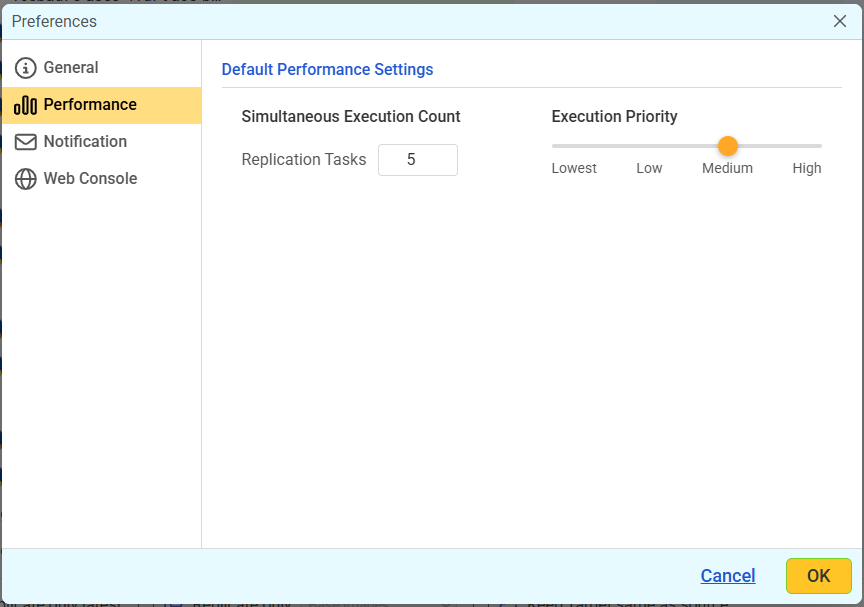
Configure the default performance setting for task execution.
E-mail Notification
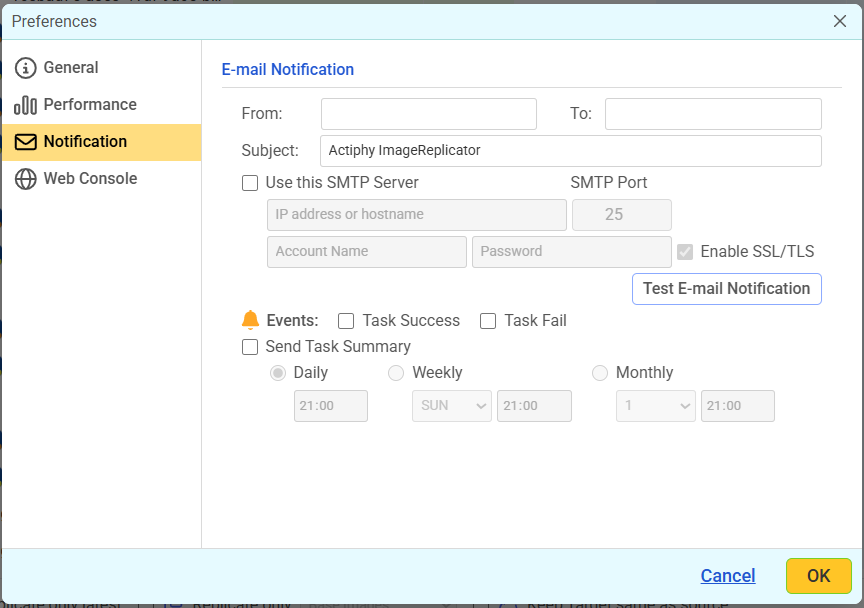
Enter the sender’s address in [From] and recipient’s address(es) in [To]. Specify [Event] and E-Mail notification is sent when the specified event occurs. Enable [Use this SMTP server] to use a specific SMTP server for notifications. If disabled, notifications are sent without SMTP. Enable [Test E-Mail Notification] option to send a test email to verify the recipient’s configuration. Enable [Send Task Summary] option to schedule daily, weekly, or monthly summary notifications.
Web Console
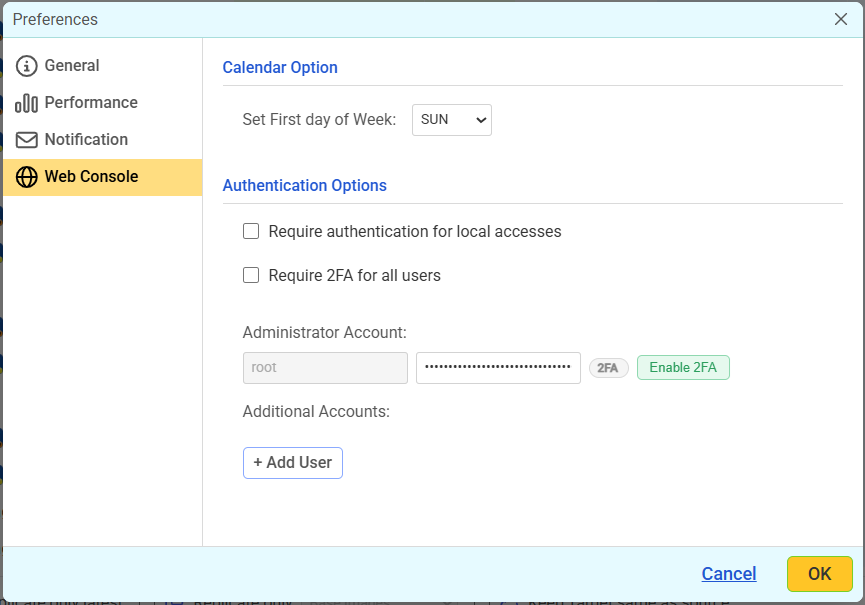
- Calendar Option
You can specify the start day of a week by using Web console.
-
Authentication Options
You can configure the authentication settings for establishing connection via Web console.-
Require authentication for local accesses
When enabled, you will be requested to enter the authentication information even when accessing the localhost agent. -
Require 2FA for all users When enabled, all users are required to enter the authentication information using two-factor authentication (2FA).
You can change the authentication settings whenever necessary. The default administrator user account is [root], and its initial password is [root]. The password can be changed to any desired value. Click [Enable 2FA] to configure two-factor authentication using an authenticator application such as Google Authenticator. Follow the instructions in the dialog to register the account.
Additional users can be added as needed.
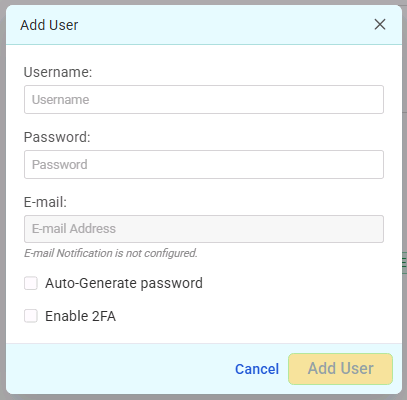If E-mail Notification is enabled, a user account creation notification can be sent to the specified email address.
When [Automatically Generate Password] is enabled, a password can be generated automatically and sent via email. When enabling [Enable 2FA] to activate two-factor authentication (2FA) for the new user and automatically generate and email the information required for setup, such as the authentication code.The newly added user is assigned administrator privileges.
When signed in as an additional user, you cannot edit or delete existing users, nor can add new users.
-