安装与卸载
安装
-
双击 ActiveImage Protector 的 Setup.exe 运行安装程序,选择[安装相关产品] - [Actiphy Authentication Service (AAS)],然后单击[安装]。
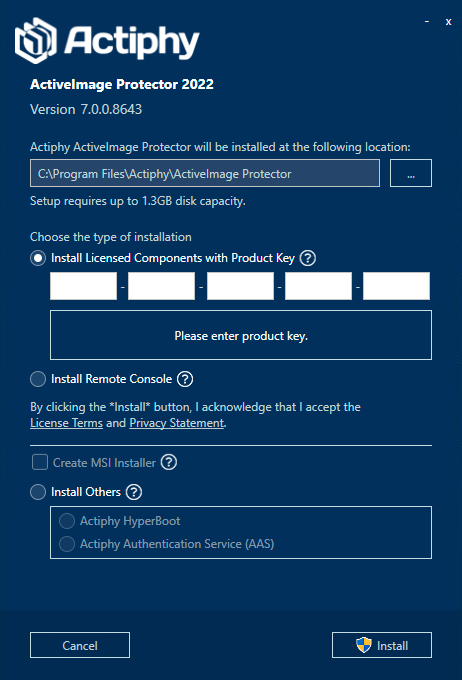
-
安装程序启动后,选择[默认安装]并单击[安装]。
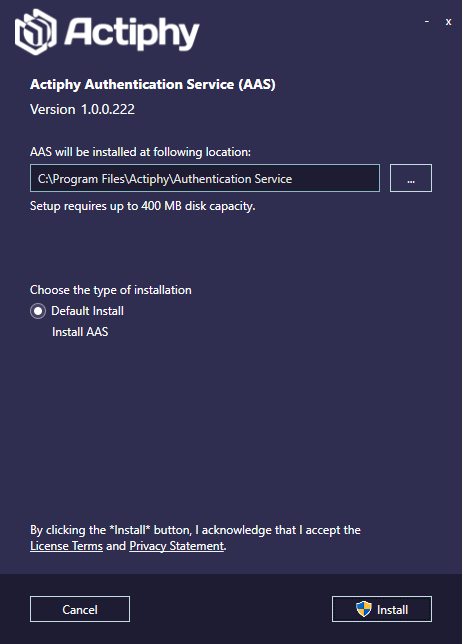
-
安装完成后,单击 [完成]。
推送 Docker 镜像
选择 [AAS Docker Image] 后,可以推送已配置 Actiphy Authentication Service 的镜像。必须通过 Google Chrome 访问所推送镜像中的 Actiphy Authentication Service。 不再需要时,请从 Docker 中删除该镜像。
升级
-
双击 ActiveImage Protector 的 Setup.exe 启动安装程序。单击[安装其他产品] - [Actiphy Authentication Service (AAS)],然后单击[安装]。
-
本产品的安装程序将启动。选择[升级安装]并单击[安装]。
-
操作完成后,单击[完成]。
卸载
-
打开控制面板并运行 Actiphy Authentication Service 的卸载程序。
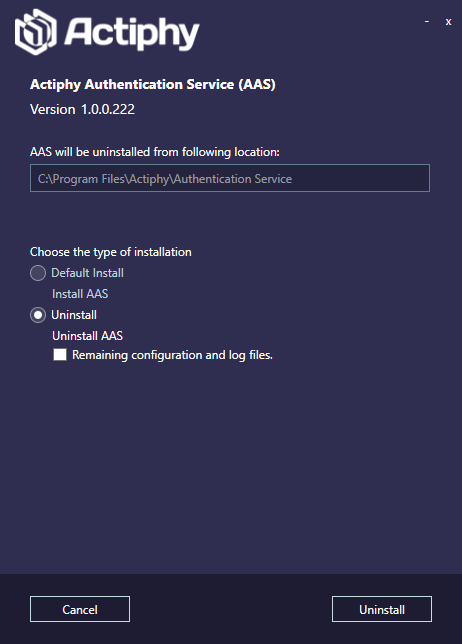
启用[保留配置和日志文件]可保留已配置的设置和日志文件。
单击[卸载]。
-
卸载完成后,单击[完成]。