설치 및 제거
설치
-
Setup.exe를 더블 클릭하여 설치 프로그램을 실행합니다. 제품 키를 입력한 뒤 [Install]을 클릭합니다.
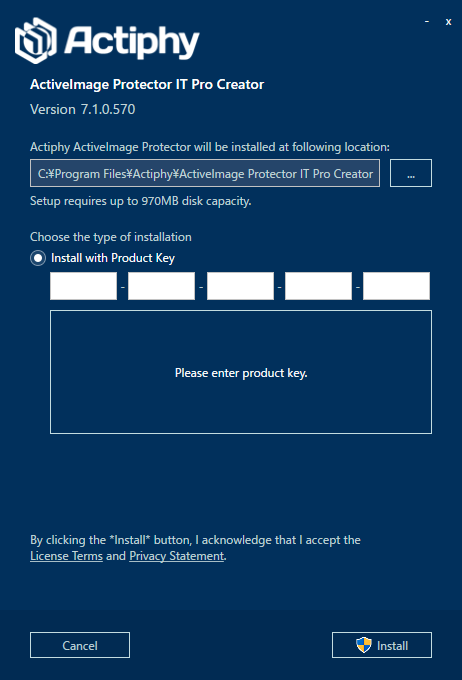
-
설치가 완료되면 [Finish]를 클릭합니다.
제거
-
메뉴에서 [Start]를 클릭하고 [Control Panel] -> Uninstall a program 또는 Programs and Features로 이동하여 [ActiveImage Protector IT Pro Creator]를 선택합니다.
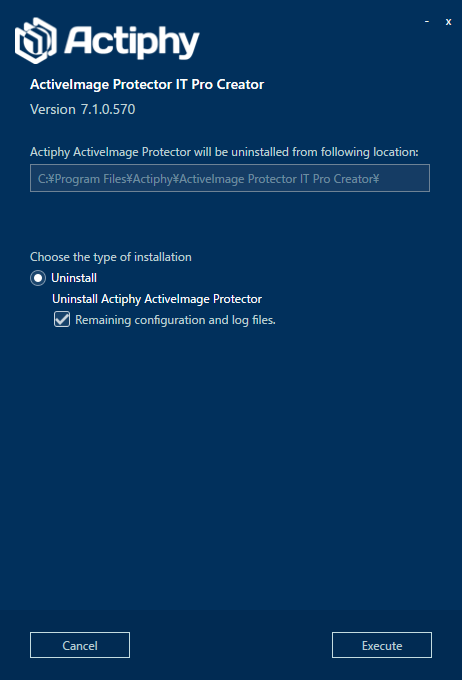
[Remaining configuration and log file]을 활성화하면 설정과 로그 정보를 유지합니다.
[Uninstall]을 클릭합니다.
-
제거가 완료되면 [Finish]를 클릭합니다.